


EXModel
Scan-to-CAD Reverse Engineering Software
EXModel is SHINING 3D’s scan-to-CAD reverse engineering software designed to bridge the gap between 3D scan data and editable CAD models. Built to work seamlessly with SHINING 3D scanning workflows, EXModel gives users the tools needed to clean mesh data, extract geometry, reconstruct surfaces, and prepare professional CAD-ready models from scanned parts.
For engineers, designers, product developers, and reverse engineering users, EXModel simplifies one of the most important steps in the 3D scanning workflow: turning raw mesh data into useful design geometry.
From 3D Scan to CAD Model
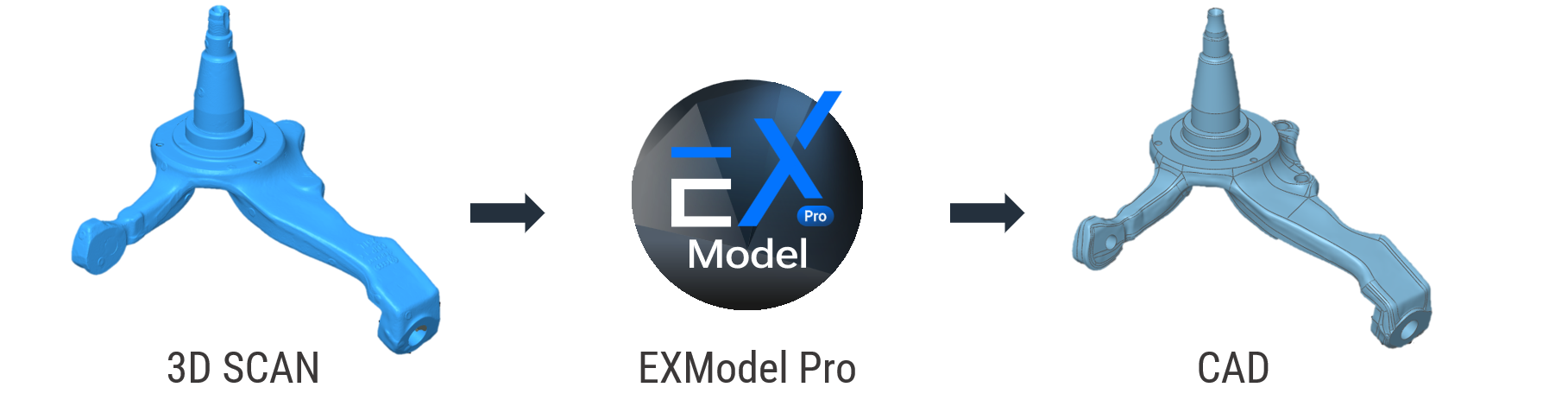
A 3D scan captures the shape of a physical object, but scan data alone is usually not enough for design, manufacturing, or part modification. EXModel is designed to help users move beyond the mesh by converting scanned data into structured CAD geometry that can be edited, measured, refined, and exported into downstream design software.
The software provides a practical workflow for transforming scan meshes into professional-quality CAD solid models. This makes it especially useful for reverse engineering, product redesign, replacement part creation, legacy component documentation, and scan-based design work.
Seamless SHINING 3D Workflow Integration
EXModel is built to integrate closely with SHINING 3D scanning software, allowing users to move from scanning to modeling with minimal friction. After capturing and meshing scan data, users can transfer the model into EXModel and begin preparing it for CAD reconstruction.
This integrated workflow helps reduce unnecessary file handling and keeps the process straightforward for users working with EinScan, FreeScan, and EINSTAR scanning systems. For teams already using SHINING 3D hardware, EXModel provides a natural next step after data capture.
Primitive Extraction for Mechanical Geometry
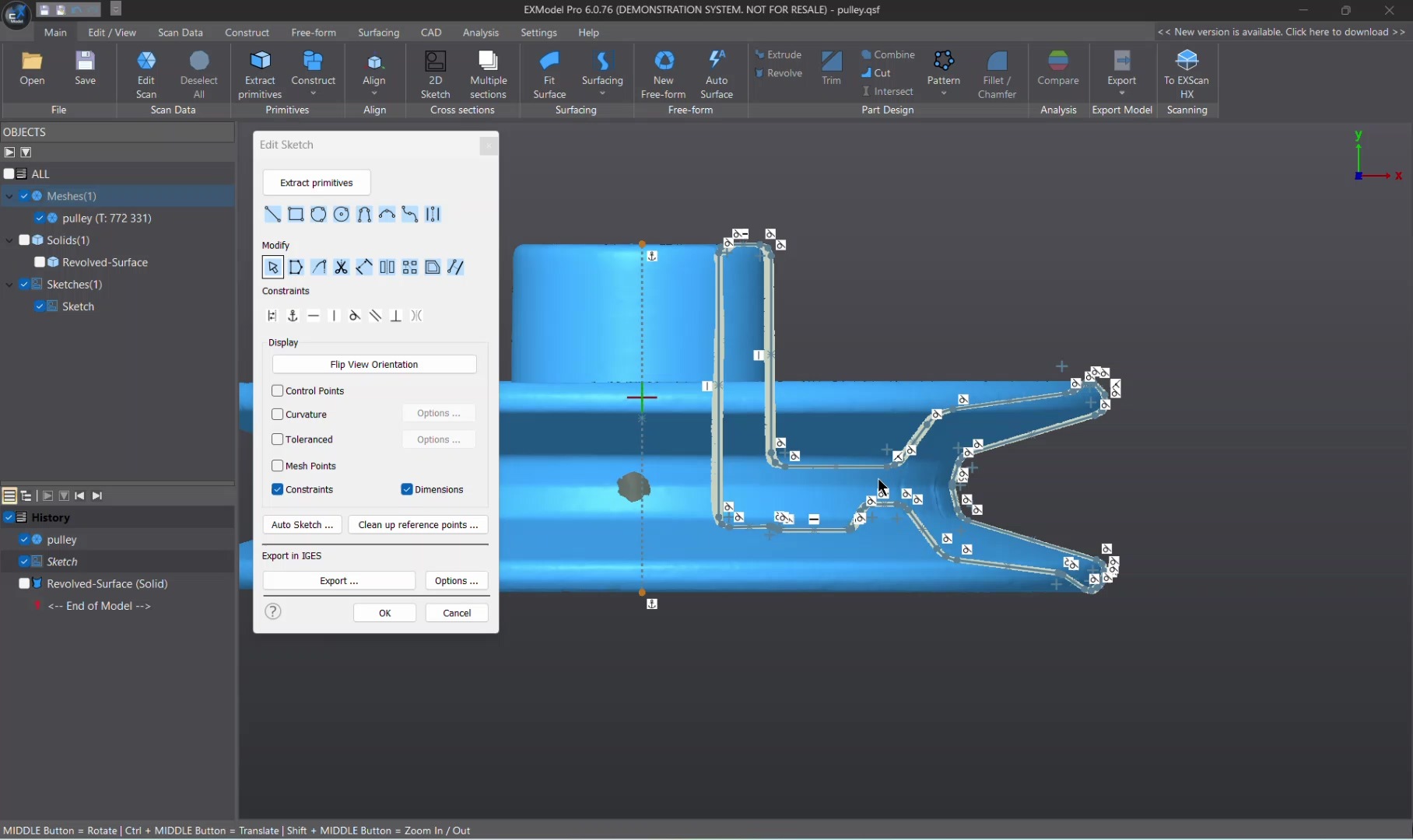
Many scanned parts contain recognizable engineering features such as planes, cylinders, cones, spheres, lines, and points. EXModel can extract these primitives from scan data, giving users reference geometry that can be used to rebuild mechanical parts more efficiently.
Primitive extraction is especially helpful when working with machined components, brackets, housings, fixtures, tooling, and industrial parts where flat faces, holes, cylindrical bosses, and rotational features are common. These extracted elements help establish design intent and provide a foundation for more accurate CAD reconstruction.
Free-Form Modeling and Auto Surfacing
Not every scanned object is made from simple mechanical features. Many parts include organic shapes, curved surfaces, sculpted forms, or complex transitions that require a more flexible modeling approach.
EXModel supports free-form modeling and auto surfacing tools that help users reconstruct complex surfaces from mesh data. Auto surfacing allows users to quickly generate surface geometry from scanned meshes, while quad surface tools provide additional control when rebuilding more detailed or irregular forms.
This makes EXModel useful not only for mechanical reverse engineering, but also for product design, ergonomic parts, molded components, custom fabrication, and scan-based design workflows involving complex shapes.
Live Deviation Analysis
EXModel helps users maintain confidence during reconstruction by providing live deviation analysis between the scan data and the recreated CAD geometry. This allows users to visually check how closely the rebuilt model matches the original scan throughout the modeling process.
Deviation feedback is especially useful when balancing accuracy, smoothness, and design intent. Instead of waiting until the end of the project to evaluate model quality, users can make informed adjustments during reconstruction.
Designed for Practical Reverse Engineering
EXModel is designed to make reverse engineering more approachable without removing the control needed for professional work. Its workflow supports common scan-to-CAD tasks such as mesh cleanup, alignment, primitive extraction, surface reconstruction, sketch creation, and CAD model preparation.
The software is particularly useful for users who need to recreate lost CAD files, modify existing physical parts, develop replacement components, convert legacy objects into digital models, or prepare scanned geometry for manufacturing.
Ideal Applications
EXModel is well suited for reverse engineering, product redesign, replacement part creation, legacy component documentation, custom fabrication, molded part reconstruction, scan-based design, 3D printing preparation, and converting scanned geometry into CAD-ready models.
It is especially valuable for users working with mechanical components, automotive parts, industrial objects, custom tools, legacy equipment, and products where original CAD data is unavailable or incomplete.
Key Features
| Feature | Description |
|---|---|
| Scan-to-CAD Workflow | Converts 3D scan mesh data into CAD-ready geometry |
| SHINING 3D Integration | Works smoothly with SHINING 3D scanning software and scanner workflows |
| Mesh Editing | Clean, simplify, fill holes, and prepare scan meshes |
| Primitive Extraction | Reconstruct planes, cylinders, cones, spheres, lines, and points |
| Free-Form Modeling | Build complex surfaces and organic forms from scan data |
| Auto Surfacing | Generate surface geometry from scanned meshes |
| Live Deviation Analysis | Compare reconstructed geometry against the original scan in real time |
| CAD Preparation | Prepare models for export into downstream CAD platforms |
| EXModel Pro Option | Expanded all-in-one reverse engineering workflow for advanced users |
Why Choose EXModel?
EXModel gives SHINING 3D users a dedicated pathway from 3D scanning to CAD modeling. Instead of treating scan data as a final mesh, EXModel helps transform that data into usable design geometry for engineering, manufacturing, and product development.
By combining mesh cleanup, primitive extraction, surface reconstruction, and deviation analysis into a focused reverse engineering environment, EXModel helps users move from physical parts to editable digital models faster and more efficiently.


