


EXModel
Scan-to-CAD Reverse Engineering Software
EXModel is SHINING 3D’s dedicated scan-to-CAD reverse engineering software, designed to bridge the gap between captured 3D scan data and useful CAD geometry.
A 3D scanner records the physical shape of an object as a point cloud or polygon mesh. While that mesh may be suitable for visualization, archiving, or direct 3D printing, it is not always ideal for engineering changes, dimensional editing, CNC machining, mold development, or manufacturing.
EXModel gives engineers, designers, fabricators, and product developers the tools needed to clean scanned meshes, extract important geometry, reconstruct surfaces, create sketches, and turn physical components into professional CAD-ready models.
Whether the project involves recreating a discontinued part, modifying an existing product, developing an aftermarket component, or restoring missing design data, EXModel provides a focused workflow from scan capture through CAD reconstruction.
From 3D Scan to CAD Model
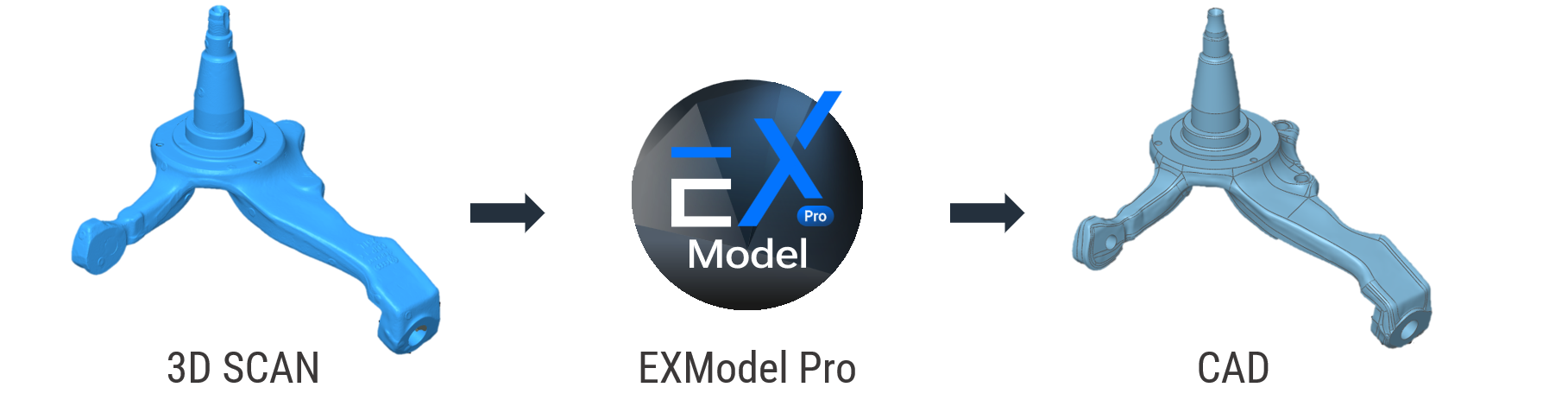
A 3D scan captures the shape of a physical object, but scan data alone is usually not enough for design, manufacturing, or part modification. EXModel is designed to help users move beyond the mesh by converting scanned data into structured CAD geometry that can be edited, measured, refined, and exported into downstream design software.
The software provides a practical workflow for transforming scan meshes into professional-quality CAD solid models. This makes it especially useful for reverse engineering, product redesign, replacement part creation, legacy component documentation, and scan-based design work.
Seamless SHINING 3D Workflow Integration
Reverse engineering begins with the physical part. After the object is scanned, the resulting mesh represents the part as it currently exists, including its shape, wear, deformation, surface texture, and manufacturing variation.
EXModel allows users to use that scan as a reference while rebuilding the part’s intended geometry.
Flat surfaces can be reconstructed as true CAD planes, holes and bosses can be recreated as cylinders, and curved or organic regions can be rebuilt using fitted or free-form surfaces. This produces geometry that is easier to modify than a raw scan mesh.
The finished model can then be adjusted for new dimensions, repaired to remove wear, redesigned for a different application, or prepared for manufacturing.
Primitive Extraction for Mechanical Geometry
Mechanical parts commonly contain recognizable geometric features such as planes, cylinders, cones, spheres, lines, and points.
EXModel can extract these primitives directly from selected areas of the scan. Rather than attempting to remodel every surface manually, users can identify the region and create clean reference geometry that represents the underlying feature.
This is particularly useful for brackets, housings, tooling, castings, fixtures, automotive components, and machined parts.
Planes can define mounting faces and datums. Cylinders can reconstruct bores, shafts, or bosses. Lines and points can establish center locations, axes, and reference positions.
These extracted features help users move beyond copying the imperfections of the scanned part and begin restoring the original design intent.
Cross Sections and Sketch Creation
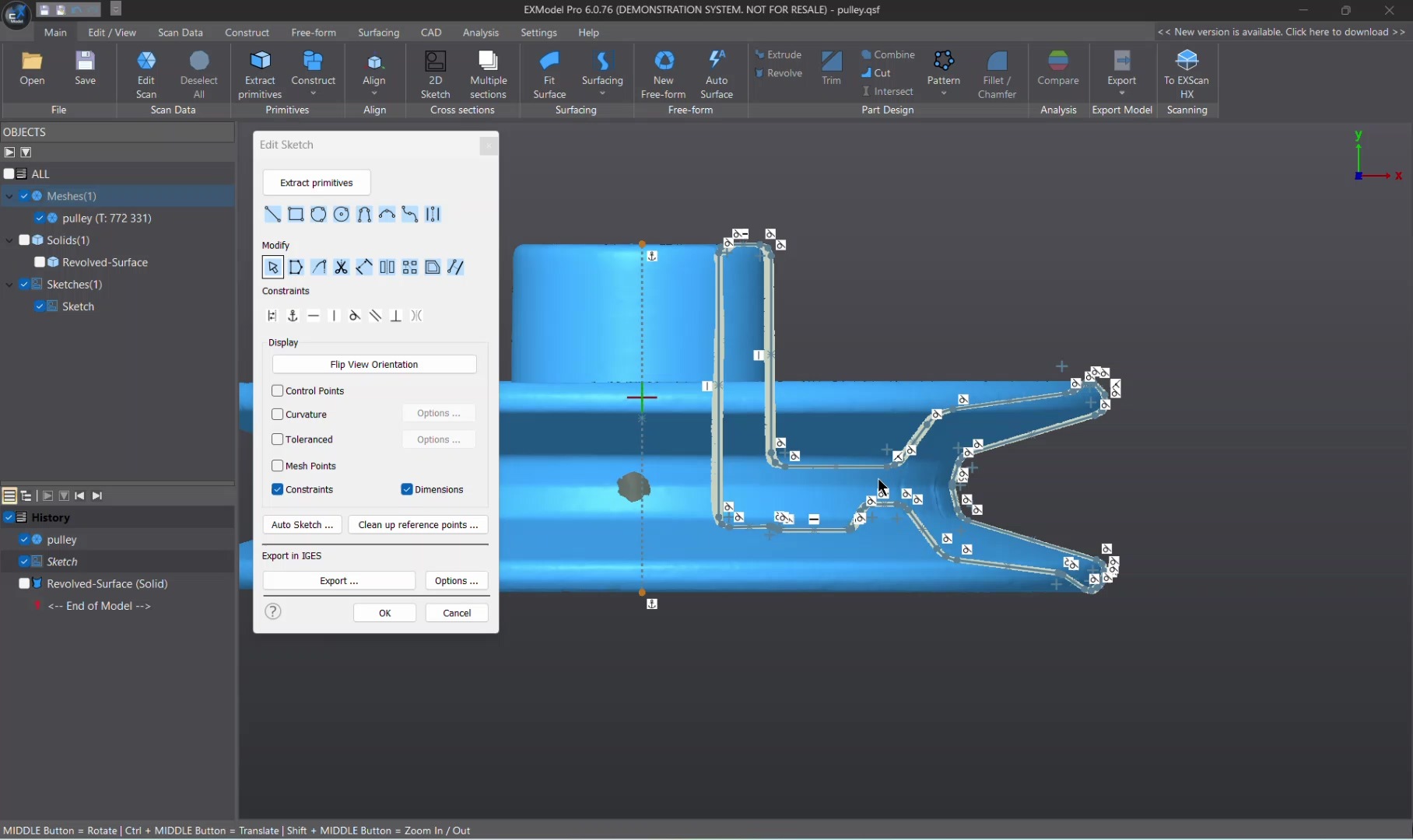
Cross sections are an important part of many reverse engineering workflows. EXModel allows users to slice through the mesh and create profile curves that represent the part at selected locations.
These profiles can be used as references for sketches, extrusions, revolutions, lofts, and other CAD operations.
For rotational components, a profile can be extracted and revolved around an axis. For prismatic parts, a cross section can be turned into a sketch and extruded. Multiple sections can also help define changing geometry across a longer component.
EXModel Pro includes constrained 2D sketching tools that allow dimensions, geometric relationships, offsets, patterns, and sketch constraints to be added. These tools make it easier to create controlled engineering sketches rather than simply tracing the scan.
The software also supports 3D sketching for curves and geometry that do not lie on a single plane.
Free-Form Modeling and Auto Surfacing
Not every scanned object is made from simple mechanical features. Many parts include organic shapes, curved surfaces, sculpted forms, or complex transitions that require a more flexible modeling approach.
EXModel supports free-form modeling and auto surfacing tools that help users reconstruct complex surfaces from mesh data. Auto surfacing allows users to quickly generate surface geometry from scanned meshes, while quad surface tools provide additional control when rebuilding more detailed or irregular forms.
This makes EXModel useful not only for mechanical reverse engineering, but also for product design, ergonomic parts, molded components, custom fabrication, and scan-based design workflows involving complex shapes.
Live Deviation Analysis
EXModel helps users maintain confidence during reconstruction by providing live deviation analysis between the scan data and the recreated CAD geometry. This allows users to visually check how closely the rebuilt model matches the original scan throughout the modeling process.
Deviation feedback is especially useful when balancing accuracy, smoothness, and design intent. Instead of waiting until the end of the project to evaluate model quality, users can make informed adjustments during reconstruction.
Designed for Practical Reverse Engineering
EXModel is designed to make reverse engineering more approachable without removing the control needed for professional work. Its workflow supports common scan-to-CAD tasks such as mesh cleanup, alignment, primitive extraction, surface reconstruction, sketch creation, and CAD model preparation.
The software is particularly useful for users who need to recreate lost CAD files, modify existing physical parts, develop replacement components, convert legacy objects into digital models, or prepare scanned geometry for manufacturing.
Ideal Applications
EXModel is well suited for reverse engineering, product redesign, replacement part creation, legacy component documentation, custom fabrication, molded part reconstruction, scan-based design, 3D printing preparation, and converting scanned geometry into CAD-ready models.
It is especially valuable for users working with mechanical components, automotive parts, industrial objects, custom tools, legacy equipment, and products where original CAD data is unavailable or incomplete.
Key Features
| Feature | Description |
|---|---|
| Scan-to-CAD Workflow | Converts 3D scan mesh data into CAD-ready geometry |
| SHINING 3D Integration | Works smoothly with SHINING 3D scanning software and scanner workflows |
| Mesh Editing | Clean, simplify, fill holes, and prepare scan meshes |
| Primitive Extraction | Reconstruct planes, cylinders, cones, spheres, lines, and points |
| Free-Form Modeling | Build complex surfaces and organic forms from scan data |
| Auto Surfacing | Generate surface geometry from scanned meshes |
| Live Deviation Analysis | Compare reconstructed geometry against the original scan in real time |
| CAD Preparation | Prepare models for export into downstream CAD platforms |
| EXModel Pro Option | Expanded all-in-one reverse engineering workflow for advanced users |
Why Choose EXModel?
EXModel gives SHINING 3D users a dedicated pathway from 3D scanning to CAD modeling. Instead of treating scan data as a final mesh, EXModel helps transform that data into usable design geometry for engineering, manufacturing, and product development.
By combining mesh cleanup, primitive extraction, surface reconstruction, and deviation analysis into a focused reverse engineering environment, EXModel helps users move from physical parts to editable digital models faster and more efficiently.


