
Watertight vs. Non-Watertight Meshes: Which One Do You Need?
31st Aug 2026
Once a 3D scan is complete, one of the next major decisions is how that scan should be meshed.
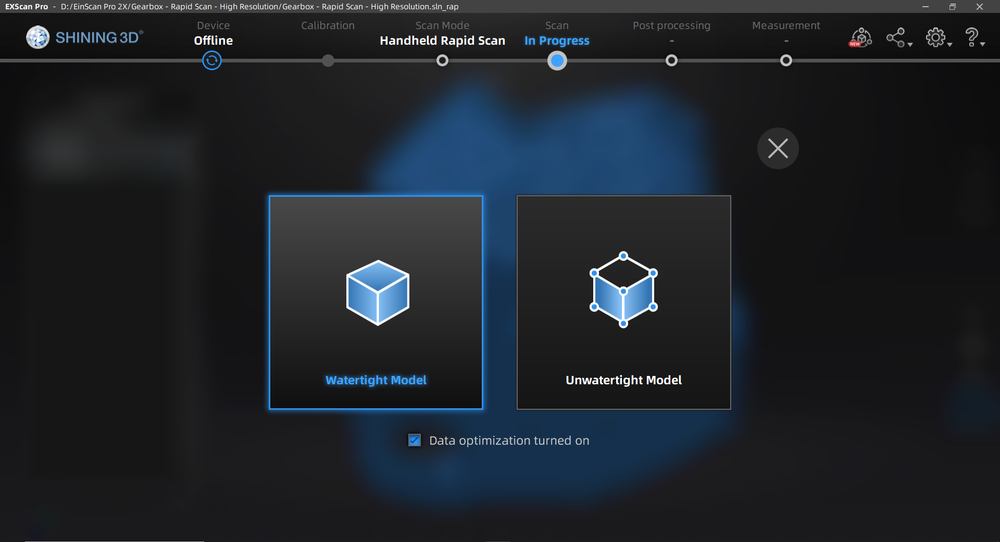
For many scanning workflows, the software will give you a choice between a watertight and non-watertight mesh. Some systems also offer a semi-watertight or partially filled option.
At first glance, watertight can sound like the obvious choice. A closed model seems more complete, and for some applications it absolutely is.
But a watertight mesh is not automatically a better mesh.
The right choice depends on what you plan to do with the scan afterward.
For 3D printing, a closed model is often exactly what you need. For reverse engineering, inspection, or dimensional analysis, automatically filling areas that were never scanned can actually make the data less useful.
Understanding the difference helps you preserve the information that matters while avoiding unnecessary reconstruction.
What Is a Mesh?
Before looking at watertight and non-watertight models, it helps to understand what meshing actually does.
During scanning, the system captures 3D surface information as points or related scan data. Meshing converts that information into a connected surface made from triangles.
That triangular surface is what most people recognize as the finished 3D model.
SHINING 3D's scanning software describes meshing as the process of converting the point cloud into a triangular mesh that can then be used for applications such as rendering, measurement, and 3D printing.
The important part is that meshing does not necessarily mean every part of the model was physically measured.
If scan data is missing, the software may either leave that area open or attempt to reconstruct it, depending on the mesh type you choose.
What Is a Non-Watertight Mesh?
A non-watertight mesh keeps open areas open.
If the scanner did not capture the underside of an object, the bottom remains missing. If a deep feature could not be completely measured, the mesh does not automatically invent a surface to close it.
SHINING 3D describes its unwatertight mesh option as keeping an unclosed model in the state it was scanned, with faster processing than a watertight mesh.
That can sound like an incomplete result, but in many professional workflows it is actually preferable.
A non-watertight mesh makes it much easier to see which surfaces were truly captured and which were not.
For reverse engineering, inspection, and measurement work, that distinction can be extremely important.
What Is a Watertight Mesh?
A watertight mesh is completely closed.
There are no open boundaries through which you could theoretically pass from the outside of the model to the inside.
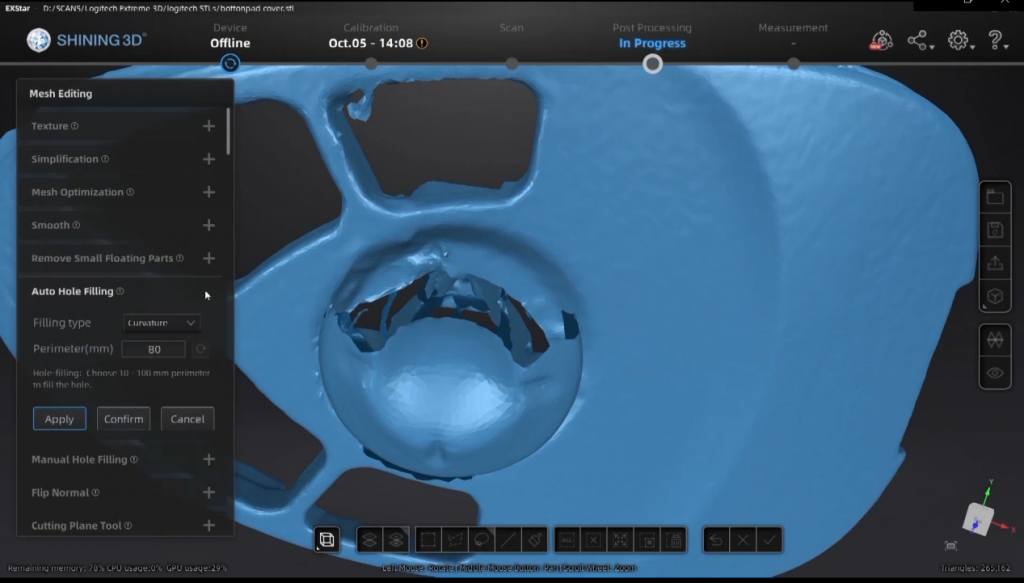
To create that closed surface, the meshing software fills holes and reconstructs missing areas.
SHINING 3D's watertight processing automatically fills holes and produces a closed model suitable for direct 3D printing.
This can be extremely useful when the purpose of the scan is to create a printable or visually complete object.
The tradeoff is that some of the resulting geometry may not have been directly measured.
The software has to estimate what should exist between the surrounding captured surfaces.

Watertight Does Not Mean More Accurate
This is probably the most important distinction.
A watertight mesh may look more complete, but that does not necessarily mean it represents the physical object more accurately.
Imagine scanning a mechanical housing while it is sitting flat on a workbench.
You capture the top, sides, holes, and external features, but the bottom is completely hidden.
If you generate a non-watertight mesh, the underside remains open.
If you generate a watertight mesh, the software has to create geometry across that missing region.
That reconstructed surface may make the model visually complete, but the scanner never actually measured it.
For 3D printing, that may be perfectly acceptable.
For dimensional inspection, it could be misleading.
When Watertight Meshes Make Sense
Watertight meshing is particularly useful when the model needs to behave like a complete solid object.
3D printing is the most obvious example.
A slicer generally needs to understand what is inside the model and what is outside. Open surfaces, missing regions, and disconnected geometry can create printing problems.
A watertight model provides a complete outer shell that is much easier to prepare for fabrication.
It can also be useful for visualization, rendering, digital art, game assets, educational models, and other applications where the model primarily needs to look complete.
In those situations, filling a small missing area may be more useful than preserving an opening caused by the scanning setup.
When Non-Watertight Meshes Make More Sense
For reverse engineering and inspection, non-watertight meshes are often a better starting point.
Suppose you are scanning a manufactured component that will later be rebuilt in CAD.
You may only need the physical surfaces that define the component's actual geometry.
If the bottom of the part was not scanned, allowing the software to invent that surface does not provide useful design information.
Keeping the mesh open makes it obvious where measured data ends.
The same principle applies to inspection.
If a scan is being compared against CAD, you generally want the comparison to be based on measured geometry rather than automatically generated surfaces.
A cleaner, open mesh can therefore be more trustworthy than a visually complete one.
The Middle Ground: Semi-Watertight Meshes
Some SHINING 3D software also provides a semi-watertight or half-watertight option.
This allows smaller gaps to be repaired automatically while larger missing areas remain open.
For example, SHINING 3D documents workflows where holes below a threshold related to the chosen resolution are automatically filled, while larger areas remain untouched.
This can be useful when the scan is largely complete but contains small gaps caused by markers, edges, or limited visibility.
Rather than reconstructing an entire missing side of the object, the software repairs minor imperfections while preserving major openings.
For many general-purpose scanning projects, this can be a useful compromise.
Automatic Hole Filling Is Reconstruction
Hole filling is extremely useful, but it is important to understand what it actually does.
The scanner is not recovering missing measurements.
The software is generating a surface based on the geometry around the opening.
For a small gap on a smooth curved surface, that estimate may be extremely reasonable.
For a large missing mechanical feature, it may not be.
This is why you should inspect the raw scan before deciding how aggressively to fill holes.
If a missing area contains geometry that matters, it is usually better to return to scanning and capture it properly.
If it is a small cosmetic gap, software repair may be completely appropriate.
A Good Example: Scanning the Bottom of an Object
Imagine scanning a small mechanical part sitting on a table.
From the first orientation, you capture nearly everything except the bottom.
You now have two choices.
You could generate a watertight mesh and allow the software to close the underside.
Or you could keep the first scan non-watertight, flip the component over, capture the missing geometry in another project, align the scans, and then generate a mesh from the complete measured data.
For a decorative object, the first option may be faster and perfectly adequate.
For reverse engineering, the second option usually provides much more useful geometry.
The final application determines whether the missing surface needs to be reconstructed or measured.
3D Printing
For 3D printing, watertight is usually the most practical choice.
The object needs a closed boundary so the slicing software can determine the printable volume.
Small scan gaps, marker holes, or inaccessible surfaces can often be filled during meshing without causing a problem.
SHINING 3D specifically notes that watertight mesh data can be used directly for 3D printing.
That does not mean you should ignore scan quality.
Large missing areas can still create an inaccurate model even if the resulting file is technically printable.
The best workflow is still to capture as much of the real object as practical before relying on automatic reconstruction.
Reverse Engineering
Reverse engineering has almost the opposite priority.
The mesh does not necessarily need to be a finished model.
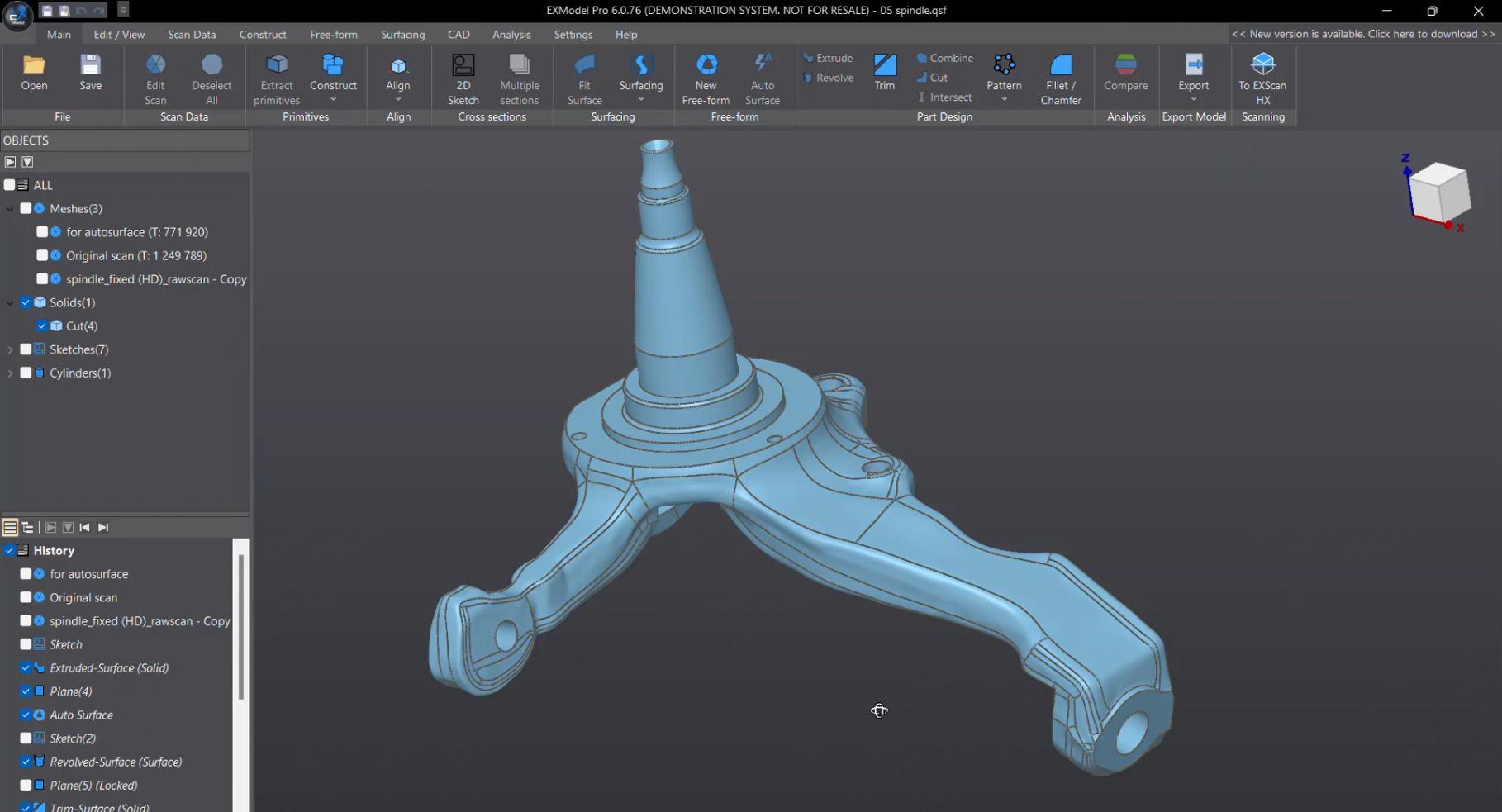
Instead, it acts as a geometric reference for rebuilding the part in CAD.
Profiles, edges, holes, bosses, mounting surfaces, curves, and mechanical relationships are usually more important than closing every opening in the scan.
A non-watertight model can preserve those measured surfaces without introducing unnecessary guessed geometry.
The CAD model can then reconstruct intended features using proper parametric geometry.
For example, an incompletely captured bolt hole may be recreated as a true CAD cylinder based on measured diameter and position rather than relying on a mesh-filling algorithm.
Inspection and Quality Control
For dimensional inspection, preserving measured geometry becomes even more important.
A color deviation map or dimensional comparison should ideally evaluate surfaces that were actually captured.
If missing areas are automatically filled before inspection, those reconstructed surfaces could be mistaken for real measurements.
That does not mean watertight models can never be used in inspection workflows.
It means you should understand which parts of the mesh represent measured data and which were generated during processing.
When dimensional confidence matters, preserving the original scan state as long as possible is generally the safer approach.
Visualization and Digital Archiving
For visualization, the decision depends more on presentation.
If the object will be viewed from every direction, open areas can be distracting.
A watertight model can provide a much cleaner finished asset.
On the other hand, cultural heritage and archival projects may place greater importance on distinguishing measured data from reconstruction.
If a damaged sculpture is missing an area physically, automatically filling that region could alter the historical record represented by the scan.
The intended use should determine whether visual completeness or measurement fidelity is the priority.
What About Small Holes?
Small holes in a scan are different from intentionally open geometry.
A tiny missing patch caused by a reflective spot or a marker does not necessarily need to remain open forever.
Most modern scanning software includes tools to remove floating geometry, smooth noise, fill small holes, and repair minor imperfections before or during meshing.
SHINING 3D's mesh tools include options for small-hole filling, marker-hole filling, filtering, smoothing, and removal of isolated data.
Used carefully, these tools can clean the model without significantly changing its overall geometry.
The key is scale.
Filling a 2 mm gap on an otherwise complete surface is very different from reconstructing an entire unscanned side of a mechanical component.
Meshing Quality and Detail
Mesh type is only one part of the process.
Filtering, smoothing, simplification, and mesh resolution also affect the final result.
Increasing filtering can reduce surface noise, but excessive filtering can remove small features. SHINING 3D explicitly notes that stronger optimization can result in loss of fine detail.
Simplification reduces triangle count and file size, which can make a model easier to handle.
But simplification also removes geometric information.
The objective should not be to create the largest possible mesh.
It should be to preserve enough detail for the intended application without carrying unnecessary complexity.
Example: Automotive Body Panel
Suppose you scan an automotive body panel for aftermarket design.
You capture the exterior surface, edges, mounting points, and surrounding geometry.
The back side of the panel may not matter if the purpose is to design a new exterior accessory.
In that case, a non-watertight mesh may actually be the cleaner reference.
There is little benefit in having software fabricate an unseen back surface simply to create a closed object.
If the same panel is being reproduced as a printable scale model, however, closing the model may become much more useful.
Same scan. Different purpose. Different ideal mesh.

Example: Sculpture for 3D Printing
Now imagine scanning a sculpture for reproduction.
The scanner captures almost all of the object, but the base contains a small inaccessible opening where it rested on the table.
If the model will be 3D printed, leaving that opening may cause unnecessary preparation later.
A watertight mesh can close the region and create a printable solid.
As long as the missing geometry is not important to the visible shape of the sculpture, automatic filling may be entirely appropriate.
Example: Machined Component for Inspection
A machined component is different.
If one mounting surface could not be scanned, automatically reconstructing it before dimensional comparison can create false confidence.
The mesh may appear complete even though there was no measurement in that region.
Leaving the surface open makes the limitation obvious and allows the operator to decide whether the component should be repositioned and rescanned.
For inspection, knowing where you do not have data can be just as important as knowing where you do.
Which One Should You Choose?
The easiest way to decide is to ask what happens to the model next.
If the goal is 3D printing or visual presentation, a watertight mesh is often the better choice.
If the goal is reverse engineering, inspection, or preserving only measured surfaces, a non-watertight mesh is often more useful.
If the scan is nearly complete and only contains small gaps, a semi-watertight workflow may provide a practical middle ground.
There is no universally better mesh type.
The best mesh is the one that preserves the information your next step actually needs.
Conclusion
Watertight and non-watertight meshes solve different problems.
A watertight mesh creates a closed model by filling missing regions, making it especially useful for 3D printing and presentation.
A non-watertight mesh preserves open areas and more clearly represents the surfaces that were actually captured, which can be valuable for reverse engineering and inspection.
Neither option automatically provides better scan quality.
The important question is whether missing geometry should be reconstructed or left visible.
Once you know how the model will be used, that decision becomes much easier.