
Medium to Large Object Scanning With Einstar Rockit
30th May 2026
Overcoming Medium to Large Object Scanning Challanges With Rockit
Scanning medium and large objects presents a unique set of challenges that many users don't encounter when digitizing small parts. Large surfaces often contain repetitive geometry, low-feature areas, reflective materials, and extended scan paths that can make maintaining stable tracking more difficult.
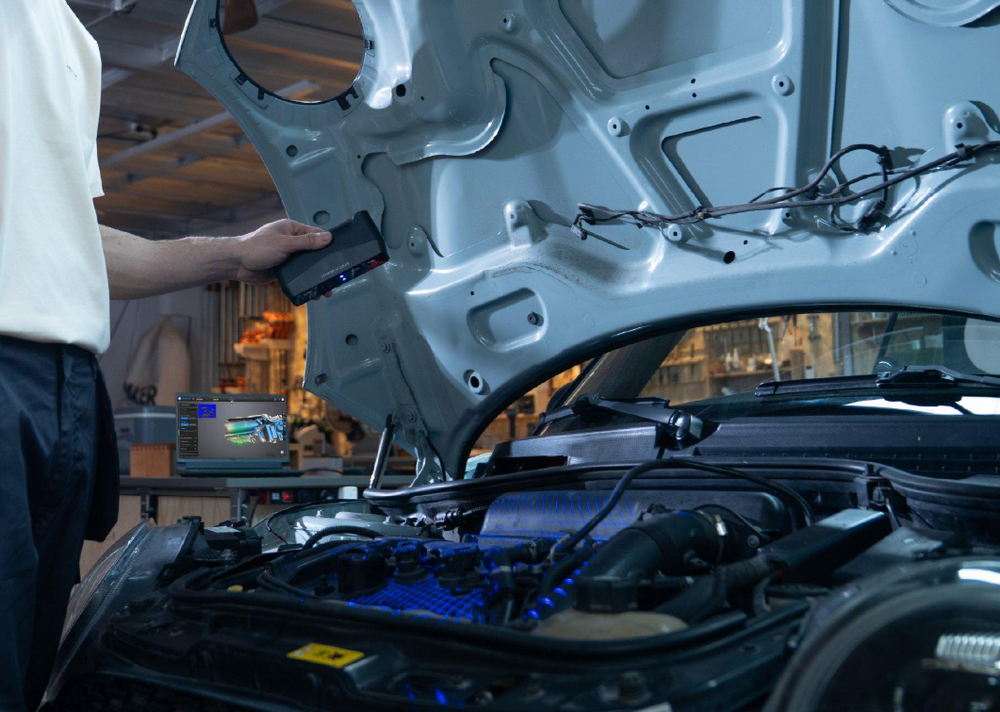
Fortunately, with the right workflow and scanner setup, these challenges can be minimized. The Einstar Rockit was designed specifically to bridge the gap between portability and professional scanning performance, offering laser and infrared scanning modes capable of handling everything from automotive components and industrial equipment to large engineering assemblies and field documentation projects.
Understanding how to optimize your scanning workflow can make the difference between a frustrating experience and a smooth, efficient project.
Why Large Objects Are More Difficult to Scan
When scanning a small object, the scanner typically remains focused on a compact area with plenty of visible geometry. Large objects are different.
As the scanner moves across broad surfaces, long edges, or repetitive structures, it must continuously determine its position relative to previously captured data. If there are not enough unique features visible, tracking can become unstable or stop altogether.
This challenge becomes even more noticeable when scanning objects with smooth surfaces, reflective finishes, dark materials, or large flat sections. Automotive body panels, machinery housings, tanks, cabinets, architectural features, and industrial equipment are all common examples.
The larger the object becomes, the more important workflow planning becomes.

Marker-Free Scanning: Understanding the Requirements
One of the Rockit's most useful capabilities is marker-free scanning. By using natural geometry and surface features, many objects can be scanned without placing physical markers.
However, successful marker-free scanning depends heavily on the object itself.
Parts with sharp edges, geometric variation, texture changes, holes, recesses, and complex surface detail typically perform very well. These natural features give the scanner plenty of information to maintain alignment as the operator moves around the object.
Objects with smooth, featureless, reflective, transparent, or highly symmetrical surfaces are far more challenging. In these situations, the scanner may struggle to maintain its position because there are fewer visual reference points available.
For large objects, it is important to evaluate the surface before beginning the scan. If there are long sections with limited detail, marker-assisted workflows may provide significantly better results.

When Markers Become Essential
For many medium and large projects, markers provide the fastest path to stable tracking.
Markers act as artificial reference points that the scanner can continuously recognize throughout the scanning process. Even if the geometry itself becomes repetitive or difficult to track, the markers provide reliable positioning information.
When using markers, placement is just as important as quantity. Markers should be distributed at irregular intervals rather than arranged in a uniform grid. This creates a unique pattern that helps the scanner identify its location more reliably.
For large projects, maintaining visibility of multiple markers at all times is critical. Consistent marker visibility allows the Rockit to maintain stable alignment while moving across larger scan areas.
Global Marker Mode for Large Objects
As object size increases, traditional marker placement can become inefficient.
For large assemblies, vehicles, machinery, or workspaces, the Rockit's Global Marker workflow can dramatically improve tracking stability. Instead of placing markers only on the object itself, markers are distributed throughout the surrounding environment and scanned first.
This creates a larger reference framework that the scanner can continually use for positioning. As the operator moves around the object, the scanner can reference both the object and the surrounding marker network.
For large-scale scanning projects, this approach often provides greater stability and makes it easier to maintain alignment over extended scan paths.

Scanning Dark and Reflective Surfaces
Dark plastics, polished metals, chrome finishes, painted surfaces, and glossy materials have traditionally been among the most challenging objects for handheld scanners.
These materials either absorb projected light or reflect it unpredictably, making surface recognition more difficult.
When scanning these materials, a temporary scanning spray can significantly improve results. A light, even coating creates a uniform surface that is easier for the scanner to interpret, improving both tracking stability and data quality.
This becomes especially valuable on large objects where losing tracking midway through a project can result in significant time loss.
Maintaining Proper Scanning Distance
Distance management is one of the most overlooked aspects of successful scanning.
The Rockit provides real-time distance feedback that allows users to remain within the scanner's optimal working range throughout the project. Staying within the recommended range helps maintain consistent point density, accurate geometry capture, and stable tracking performance.
Moving too close to the object can distort geometry and reduce capture efficiency. Moving too far away can result in sparse data, increased noise, and weaker tracking performance.
For larger projects, periodically monitoring distance indicators during scanning helps ensure consistent results across the entire model.

Optimizing Scan Quality Through Lighting
Lighting conditions play a larger role in scan quality than many users realize.
Direct sunlight, harsh reflections, and uneven lighting can reduce data quality and create inconsistent scan results. While the Rockit is designed to operate in a wide variety of environments, controlling lighting whenever possible helps maximize data quality.
Soft, even lighting typically produces the most reliable results. In environments with strong sunlight or bright windows, simple shading methods can often improve scan quality considerably.
The scanner's live preview provides immediate visual feedback, making it easy to identify and correct lighting-related issues before they affect the final model.
Processing Large Datasets Efficiently
Capturing a large scan is only part of the workflow. Processing that data efficiently is equally important.
Large projects naturally generate larger datasets, requiring more computing resources during alignment, merging, and mesh generation. While onboard processing provides exceptional convenience for quick projects and field work, transferring larger datasets to a workstation can significantly improve processing efficiency.
Dedicated workstations typically provide more memory, storage, and graphics processing power, making them better suited for handling complex projects with millions of captured points.
For especially large projects, maintaining sufficient available storage and minimizing unnecessary background applications can further improve processing performance.
Building a Reliable Large-Object Workflow
Successful large-object scanning is rarely about a single setting or feature. Instead, it comes down to combining several best practices into a repeatable workflow.
Evaluating surface conditions, selecting the appropriate tracking method, maintaining proper scanning distance, controlling lighting, and planning marker placement all contribute to successful results.
The Einstar Rockit provides the flexibility to adapt to a wide variety of scanning scenarios, but understanding when to use marker-free workflows, when to deploy markers, and when to leverage Global Marker mode can dramatically improve efficiency.
Final Thoughts
Medium and large object scanning presents unique challenges, but those challenges are entirely manageable with the proper workflow.
Whether you're capturing industrial equipment, automotive components, large mechanical assemblies, or engineering documentation, the Einstar Rockit provides the tools necessary to maintain stable tracking and generate high-quality scan data.
By combining thoughtful scan planning with proper marker placement, distance management, lighting control, and surface preparation when necessary, users can confidently tackle projects that would have been difficult or time-consuming with previous generations of handheld scanners.