
How to Choose Between Laser and Infrared 3D Scanning
12th Sep 2026
Choosing the right 3D scanning mode can make a major difference in how quickly a project comes together and how much cleanup is required afterward.
Two of the most common options on modern handheld scanners are blue laser scanning and infrared scanning. Both can produce excellent results, but they are designed around different priorities.
Laser scanning generally favors detail, precision, edge definition, and difficult materials. Infrared scanning generally favors speed, larger fields of view, longer working distances, and fast markerless capture.
Neither is automatically better.
The right choice depends on the object, the surface material, the amount of detail you need, and what you plan to do with the scan afterward.
What Is Laser 3D Scanning?
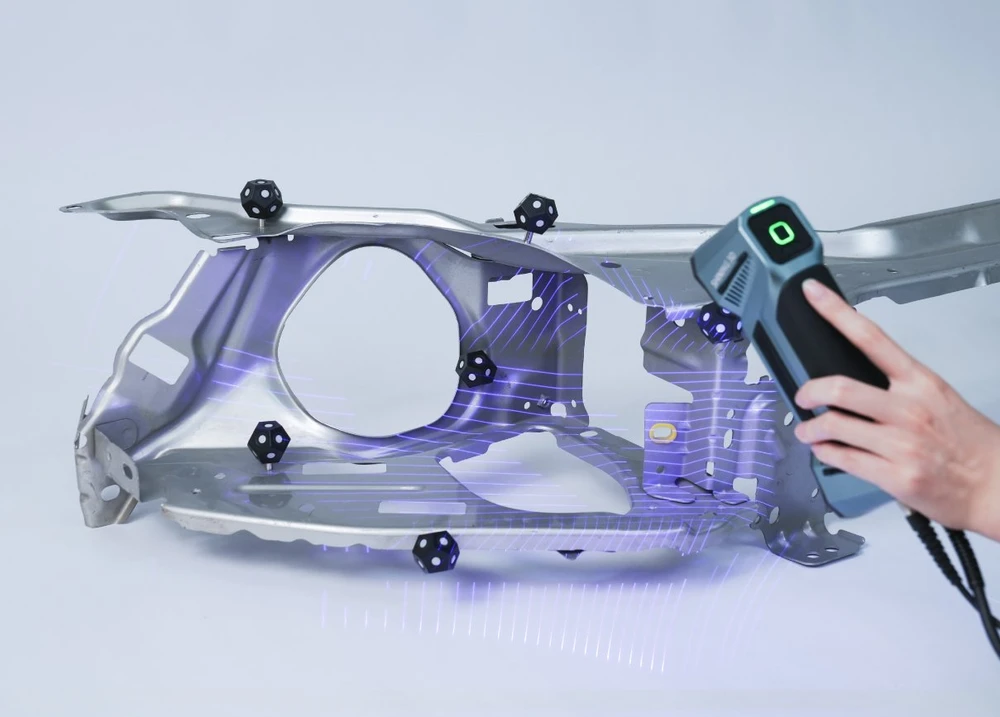
Laser 3D scanners project one or more narrow laser lines onto the object and use cameras to measure how those lines move across the surface.
Modern handheld systems often use blue lasers because they provide strong contrast and are well suited to professional scanning applications.
Laser modes are especially useful when you need to preserve smaller mechanical features, sharper edges, recessed geometry, and detailed surface transitions.
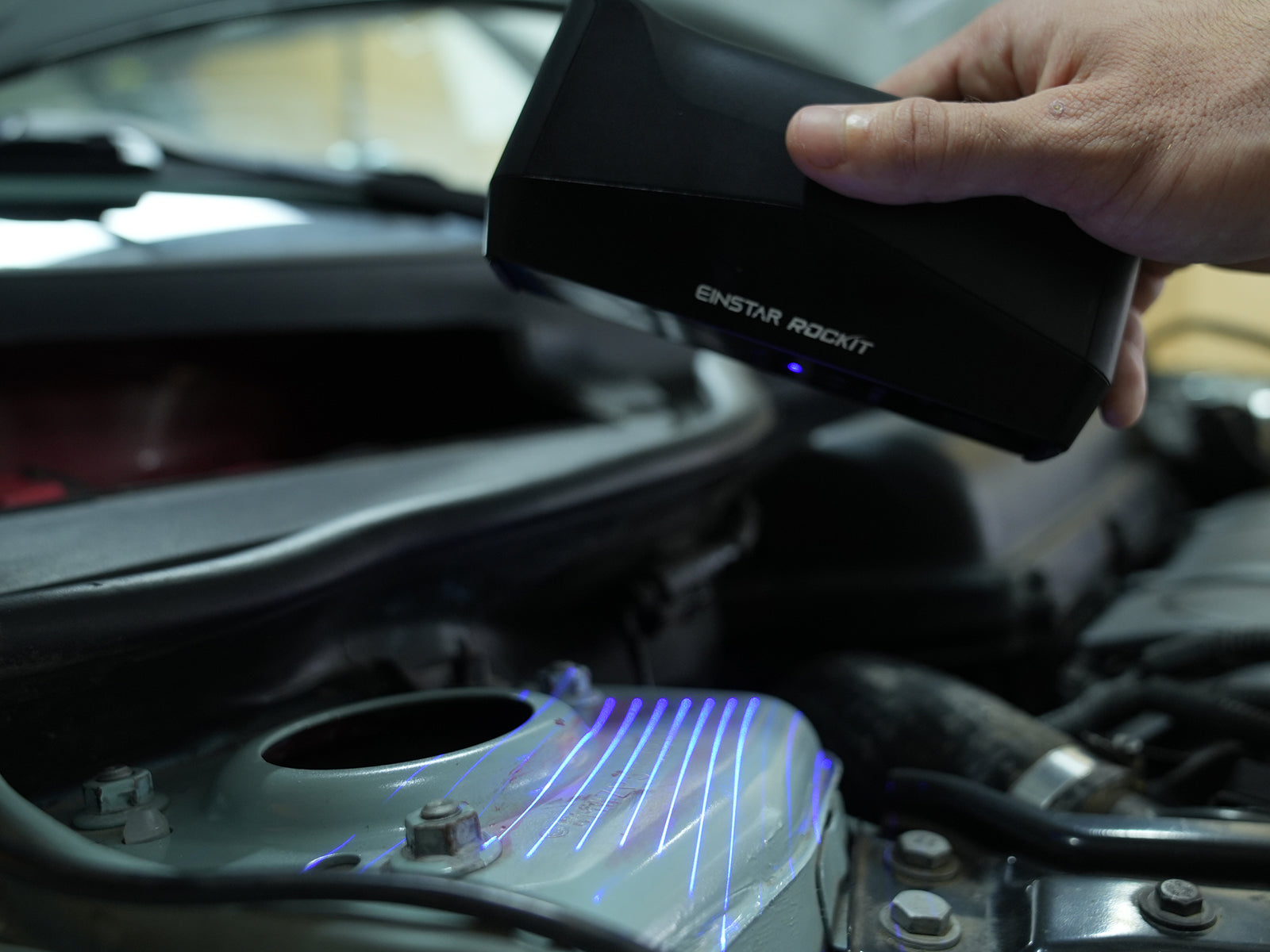
They are also commonly preferred for dark or reflective materials that can be difficult for broader structured-light or infrared systems to capture reliably.
Current hybrid systems such as the EinScan Rigil and EINSTAR Rockit use blue-laser modes specifically for higher-detail scanning, while their infrared modes are optimized more heavily toward speed and large-area capture.
What Is Infrared 3D Scanning?
Infrared scanning uses invisible infrared light, often from a VCSEL projector, to illuminate the object with a structured pattern.
Because the projected pattern can cover a relatively large area, infrared modes are particularly useful for fast handheld scanning.
They are commonly used for medium and large objects, human scanning, interiors, sculptures, general-purpose digitization, and other situations where quickly capturing a broad surface is more important than collecting extremely fine geometric detail.
For example, SHINING 3D's EinScan Libre documentation recommends infrared modes for objects larger than approximately 1 × 1 × 1 meter, while recommending Laser HD for smaller objects or projects requiring greater detail.
Laser Is Usually Better for Fine Detail
One of the strongest reasons to choose laser is geometric detail.
A focused laser pattern can capture smaller edges, holes, grooves, lettering, surface transitions, and mechanical features more clearly than a wide-area infrared mode.
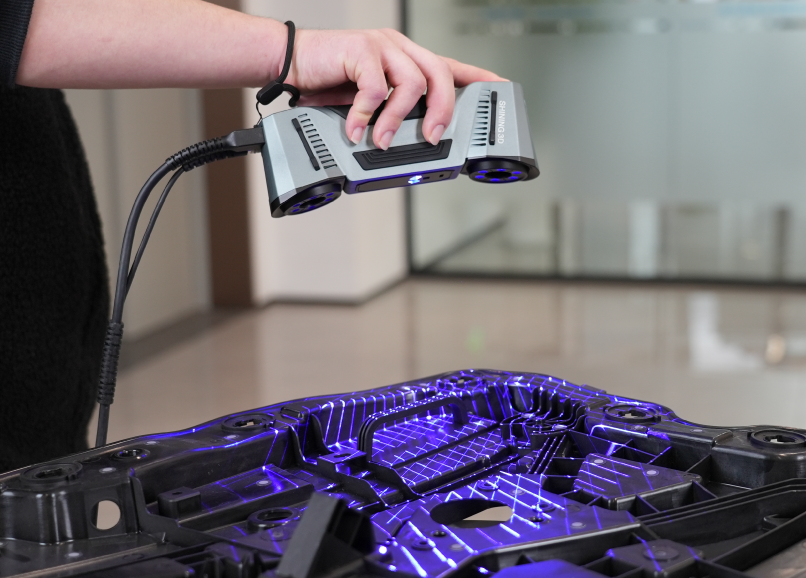
This makes laser scanning particularly useful for reverse engineering and industrial parts.
For example, the EinScan Libre's Laser HD mode offers resolution down to 0.05 mm, compared with 0.5 mm at the fine end of its IR Rapid and IR Adaptive modes.
The difference does not mean that infrared produces poor geometry.
It means that when the project depends on preserving small features, laser generally gives you more useful geometric information to work with.
Infrared Is Usually Better for Large Objects
Infrared becomes very attractive as the object gets larger.
A wider field of view and longer working distance allow the scanner to cover more surface with each movement.
This can make a major difference when scanning vehicles, interiors, sculptures, people, furniture, or large fabricated components.
On the EINSTAR Rockit, for example, IR Rapid offers a maximum field of view of 1170 × 1385 mm and a working distance extending to 1400 mm. Its laser modes operate at shorter distances and smaller fields of view because they are optimized more heavily toward detailed capture.
That difference becomes obvious in practice.
If you are scanning an entire vehicle body, infrared can let you stand farther back and cover large panels efficiently.
If you are scanning a small bracket on that same vehicle, laser may be the better choice.
Scan Speed Is Not the Whole Story
Infrared modes often have very high stated point-acquisition rates.
For example, the EinScan Rigil's IR Rapid mode can reach up to 16 million points per second, while providing a working distance of up to 1.5 meters.
That sounds like infrared should always be faster, but raw point rate is only one part of scanning efficiency.
A laser mode may capture a difficult mechanical feature cleanly in one pass, while an infrared mode might require additional angles, surface preparation, or cleanup.
Conversely, using a detailed laser pattern across an entire vehicle may be unnecessarily slow when an infrared mode could capture the broad geometry much more efficiently.
The best scan mode is the one that collects the data you need with the least unnecessary work.
Dark and Reflective Surfaces
Surface material is one of the biggest reasons to switch between scanning technologies.
Dark surfaces absorb projected light, while highly reflective materials can redirect it away from the scanner's cameras.
Laser modes often handle these surfaces better than general-purpose infrared structured light.
SHINING 3D recommends Laser HD or IR Adaptive modes for black and reflective materials on the EinScan Libre, while IR Rapid is recommended for more typical surfaces.
This is also why many industrial scanners rely heavily on blue laser technology.
Automotive paint, machined metal, black plastics, tooling, and other workshop materials frequently present conditions where laser scanning can reduce the need for extensive surface preparation.
That said, extremely glossy, transparent, or mirror-like materials can still require scanning spray regardless of the light source.
Markerless Scanning
Infrared scanning is particularly useful for markerless workflows.
Because it can track larger geometric and texture features across a wide field of view, it is often a convenient way to scan large objects without applying reflective targets.
SHINING 3D's IR Rapid modes commonly support feature, texture, marker, global-marker, or hybrid alignment depending on the scanner.
Laser scanning traditionally relies more heavily on reflective markers for stable tracking, especially on smooth mechanical surfaces.
However, this is changing.
Systems such as the EinScan Rigil now combine laser and infrared information to enable marker-free laser scanning on suitable geometry. SHINING 3D describes this as providing better data quality than marker-free infrared scanning while reducing the setup requirements of traditional marker-based laser capture.
So "laser requires markers" is no longer a universal rule.
It depends on the scanner and the geometry.
Human and Body Scanning
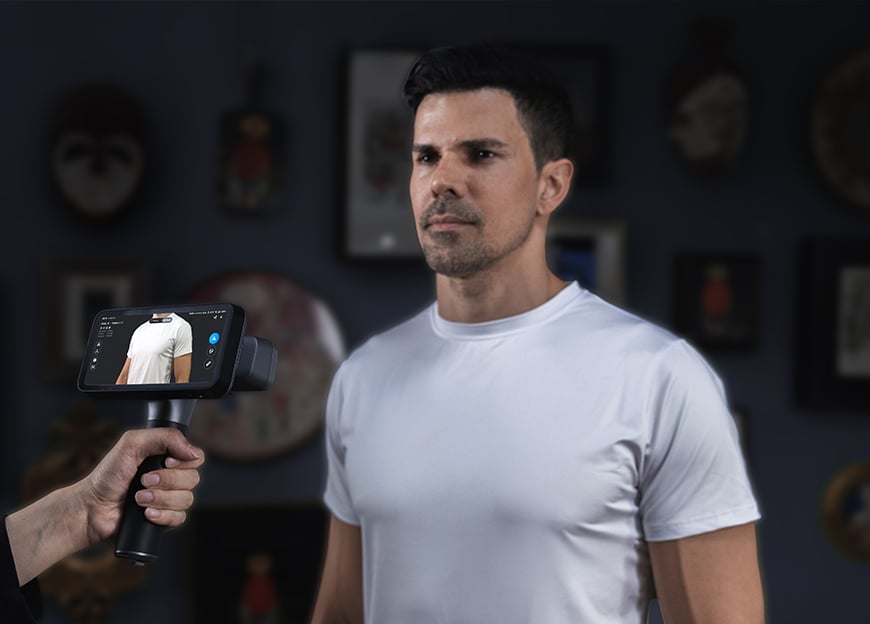
Infrared is usually the better choice for people.
It provides wide-area capture, fast scanning, and invisible illumination that is comfortable for the subject.
Because people are constantly making small movements even when standing still, scan speed is particularly important.
The EinScan Rigil's IR mode, for example, is positioned for medium-to-large objects and portrait scanning, while the EinScan Libre includes a dedicated non-rigid option for scanning subjects such as the human body.
For that kind of project, maximizing tiny mechanical detail is usually less important than capturing the body quickly before movement creates alignment problems.
Reverse Engineering
For reverse engineering, laser is usually the stronger starting point.
Mechanical parts often contain the exact kinds of features that benefit from focused laser capture: holes, bosses, mounting surfaces, grooves, sharp edges, recessed areas, and small transitions.
These features are important because they are frequently used later to reconstruct the part in CAD.
Cleaner edge definition and higher surface resolution can make that process significantly easier.
If the object is large, however, there is no reason you have to use one mode for the entire project.
A hybrid scanner can capture the overall shape in infrared and then use laser for the smaller areas that need more detail.
Automotive Scanning
Automotive scanning is one of the best examples of why both technologies are useful.
Consider scanning an entire car.
Large doors, roof panels, quarter panels, bumpers, and the general body shape benefit from the wide field of view and speed of infrared scanning.
Move into the engine bay, wheel assembly, mounting points, brackets, or aftermarket components and the priorities change.
Now smaller geometry, dark materials, reflective metal, and detailed mechanical features become more important.
Laser scanning becomes much more valuable.
A hybrid scanner allows you to choose the best mode for each area instead of forcing one technology to handle the entire vehicle.
Inspection and Quality Control
For high-accuracy industrial inspection, laser scanning is generally the more appropriate option.
Inspection depends on reliable surface measurements, clear feature definition, and stable tracking.
This is why SHINING 3D's dedicated metrology systems rely heavily on laser scanning rather than general-purpose infrared capture.
Infrared can still be useful during an inspection-oriented workflow for rapid reference capture or large-area digitization, but when dimensional performance is the priority, the scanner's metrology laser mode is generally the one you want to use.
It is also important to remember that the light source alone does not determine accuracy.
Tracking method, calibration, scanner design, alignment strategy, and the manufacturer's specified accuracy all matter.
Outdoor Scanning
Both infrared and laser systems can support outdoor scanning, but performance depends heavily on the specific scanner.
Sunlight contains significant infrared energy, which can interfere with some infrared structured-light systems.
Modern designs have improved considerably, and some current SHINING 3D IR modes are explicitly designed for outdoor use. For example, the EinScan Libre's IR Rapid mode is described as less sensitive to ambient light and suitable for outdoor scanning.
Blue laser is also widely used for outdoor industrial scanning because the narrow, high-intensity projected lines can remain easier for the cameras to distinguish from ambient light.
Rather than assuming either technology will work outdoors, check the specifications for the particular scanner and test the actual lighting conditions whenever possible.
Working Distance
Working distance has a major effect on how a scanner feels to use.
Infrared generally provides more room between the scanner and the object.
That makes it easier to capture large surfaces and reduces the amount of movement required from the operator.
Laser modes often work closer to the part.
That shorter range is useful when concentrating on small features, but it can become less efficient across very large surfaces.
The EINSTAR Rockit illustrates the difference clearly: its IR mode operates from approximately 160 to 1400 mm, while its laser modes operate over shorter ranges beginning around 100 mm and extending to between 400 and 600 mm depending on the laser configuration.
Neither range is inherently better.
They are optimized for different types of work.
Texture and Full-Color Scanning
Infrared is often associated with full-color and texture-rich scanning, particularly for people, artwork, interiors, and digital assets.
However, texture capture is not determined solely by whether the geometry was captured with laser or infrared.
Many hybrid scanners include a separate RGB camera and can apply texture to geometry captured in either mode.
For example, the EinScan Libre supports texture capture in both IR Rapid and Laser HD modes.
If color is important, look at the scanner's texture camera and alignment capabilities rather than choosing a light source based on color alone.
When to Choose Laser
Laser is usually the better choice when the project involves small mechanical parts, fine details, sharp edges, dark or reflective materials, reverse engineering, or dimensional inspection.
It is also useful when you need more controlled capture of specific features rather than maximum surface coverage.
The tradeoff is that the working area can be smaller and detailed scanning may take longer across large objects.
When to Choose Infrared
Infrared is usually the better choice when speed, convenience, and coverage are the main priorities.
Large objects, people, interiors, sculptures, general visualization, and rapid markerless scanning are all strong candidates.
The wider field of view and longer working range can make these projects much easier to capture.
The tradeoff is that very small mechanical features and difficult reflective materials may be better handled with laser.
You Do Not Always Have to Choose One
One of the biggest changes in handheld 3D scanning has been the growth of hybrid systems.
Scanners such as the EinScan Rigil, EinScan Libre, and EINSTAR Rockit combine laser and infrared modes within the same device.
This makes it possible to approach a project based on the geometry in front of you rather than committing to one scanning technology before you begin.
You might scan the broad shape of an object with infrared, switch to laser for a detailed mechanical section, then combine the data into the same project.
For many real-world scanning jobs, this hybrid approach is more useful than treating laser and infrared as competing technologies.
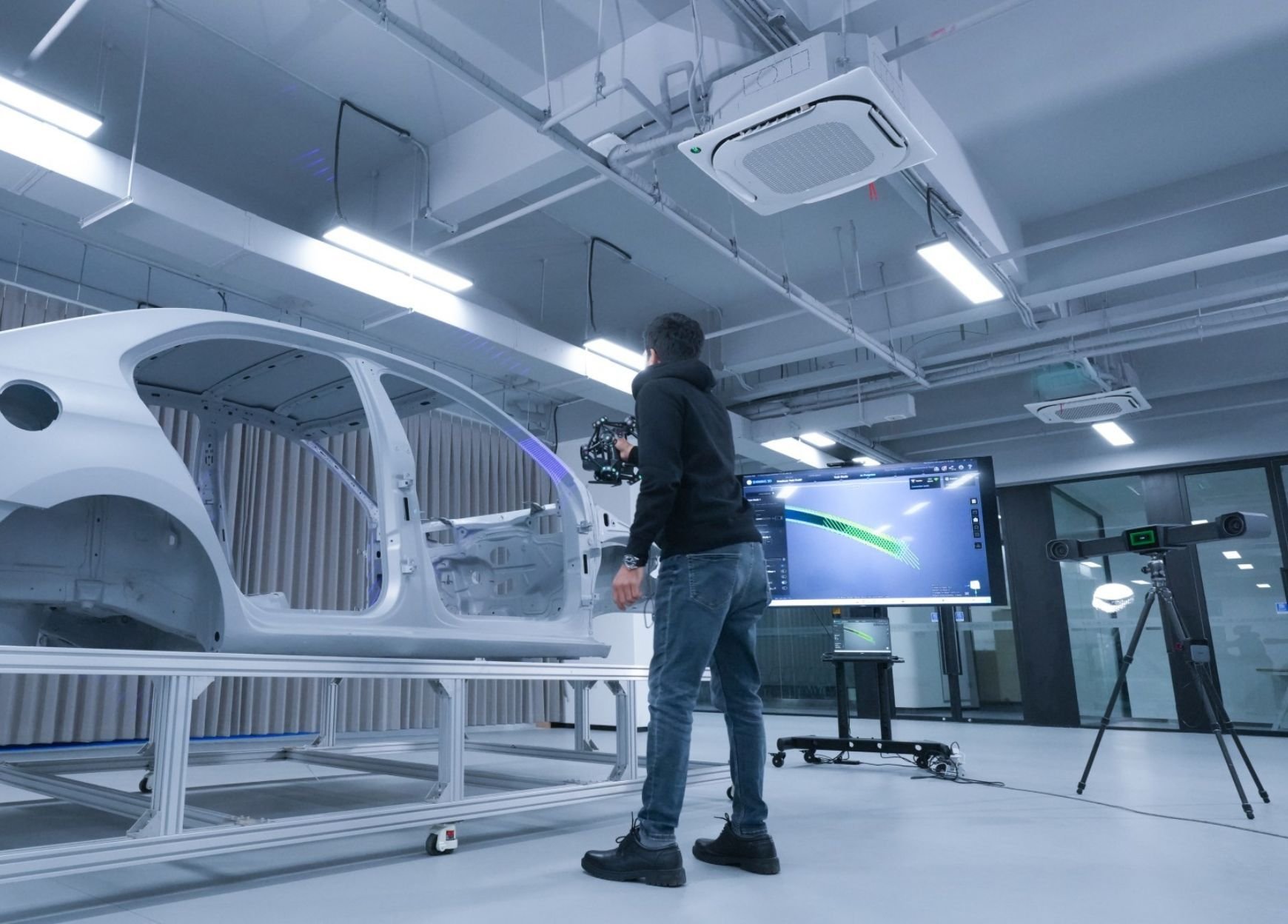
Example: Scanning a Car
Suppose you need to digitize a complete vehicle for aftermarket design.
Infrared is an efficient choice for quickly capturing the general body shape, interior areas, and other large surfaces.
Once you reach mounting points, wheel areas, mechanical components, or smaller exterior features, switching to laser can give you the additional geometric definition needed for accurate CAD work.
Trying to capture the entire vehicle with a fine laser setting may create unnecessary work.
Trying to capture every mechanical feature using only infrared may sacrifice useful detail.
Using both allows each mode to do what it does best.
Example: Mechanical Housing
A machined housing presents almost the opposite situation.
The part may contain holes, ribs, sharp edges, machined faces, engraved information, and recessed geometry.
Laser is usually the logical starting point because those features matter to the final model.
If the housing is unusually large, an infrared mode could still be useful for quickly establishing the overall shape before concentrating laser data around the critical features.
Again, the object should determine the workflow.
Example: Sculpture or Human Figure
For a sculpture or person, infrared is often the more practical choice.
Large organic surfaces do not usually contain the same concentration of small mechanical features as a machined component.
The ability to capture broad areas quickly becomes more valuable than extremely fine edge definition.
For people, speed becomes even more important because the subject cannot remain perfectly still.
If a sculpture contains particularly intricate carvings, however, switching to laser for those areas may provide additional detail.
Start With the Final Goal
The simplest way to choose between laser and infrared is to stop thinking about the light source first.
Think about the result.
If you need a highly detailed mechanical reference for CAD, lean toward laser.
If you need to capture an entire large object quickly, lean toward infrared.
If the object is black, glossy, or reflective, test laser or a specialized infrared mode designed for difficult materials.
If you are scanning a person, prioritize the speed and coverage of infrared.
And if the project contains several of these challenges at once, a hybrid workflow may be the most efficient option.
Conclusion
Laser and infrared 3D scanning are designed around different strengths.
Laser generally provides better access to fine detail, mechanical geometry, dark or reflective materials, reverse engineering, and precision-oriented applications.
Infrared generally provides faster coverage, wider fields of view, longer working distances, and convenient markerless capture for medium and large objects.
Neither technology is universally superior.
The best results come from matching the scanning mode to the object and the final application.
For many modern projects, the real advantage is no longer having to choose only one. Hybrid scanners make it possible to use infrared where speed and coverage matter, then switch to laser when the project demands additional detail or material adaptability.
The right mode is the one that gives you the data you actually need with the least unnecessary work.