
2D Scanner vs 3D Scanner: What’s the Difference and Which One Do You Need?
17th Dec 2025
Choosing the right scanning technology can feel like choosing between two very different tools that share a name. They both capture information, but they approach it in their own way and serve very different goals.
When people compare a 2D scanner vs. a 3D scanner, they sometimes expect one to simply be an upgraded version of the other, yet the truth is more nuanced. Each scanner type shines in specific scenarios, and understanding the contrast can help you make confident decisions about your workflow.
Before we get into the real nuts and bolts of how these systems behave, it helps to step back and think about what you actually need from a scan.
Are you capturing flat documents, or are you trying to digitize physical objects with depth, texture, and shape? Once that basic question becomes clear, the path forward usually reveals itself.
What a 2D Scanner Really Does
A 2D scanner captures flat images. That might sound obvious at first, but once you consider how much of daily business depends on accurate imaging of two-dimensional surfaces, the utility becomes clearer.
A traditional flatbed scanner, for instance, uses a sensor and light source to record the color and detail of anything placed directly on its glass panel. This process works well for items like papers, photos, and printed labels.
The result is a digital file that represents the original object in height and width, but without depth.
Modern 2D scanners can produce extremely crisp images. Some are built into printers, others stand alone, and many support high-resolution settings that offer remarkable clarity.
They are ideal for archival work, office needs, and digital documentation across healthcare, legal services, education, and beyond. The technology is mature, stable, and cost-effective, which explains why it continues to be a daily tool in many environments.
A 2D scanner excels at consistency. You place the document, close the lid, and let the sensor sweep across the surface. There is no concern for angles, lighting complexities, or how to handle curved surfaces.
If your goal is to reproduce the visual appearance of something flat, this is the most straightforward method available.
What Sets a 3D Scanner Apart
A 3D scanner works differently from 2D scanners. Rather than capturing a flat image, it creates a digital reconstruction of a physical object. This involves recording XYZ data points that describe the shape, dimension, and surface contours of an item.
The scanner uses methods such as structured light, laser triangulation, or photogrammetry to collect an enormous amount of spatial information.
The attraction of 3D scanning is that it brings physical objects into the digital environment with remarkable accuracy.
Engineers, designers, product developers, and quality control teams rely on these scans to measure parts, compare incoming components against CAD models, and accelerate development cycles.
The resulting 3D models can be used for inspection, modification, simulation, and even additive manufacturing.
Unlike 2D scanning, 3D systems must capture surfaces from multiple angles. Their accuracy depends on factors such as lighting, the object's reflectivity, the sensor's quality, and how well the software aligns separate data frames.
When done correctly, the output is a complete geometric representation that supports advanced analysis and design work.
The Core Differences That Matter
If you stand back for a moment, the main difference between these scanners comes down to dimensionality. A 2D device captures color and detail across a single surface plane. A 3D scanner captures shape, depth, and spatial geometry. This one shift changes everything.
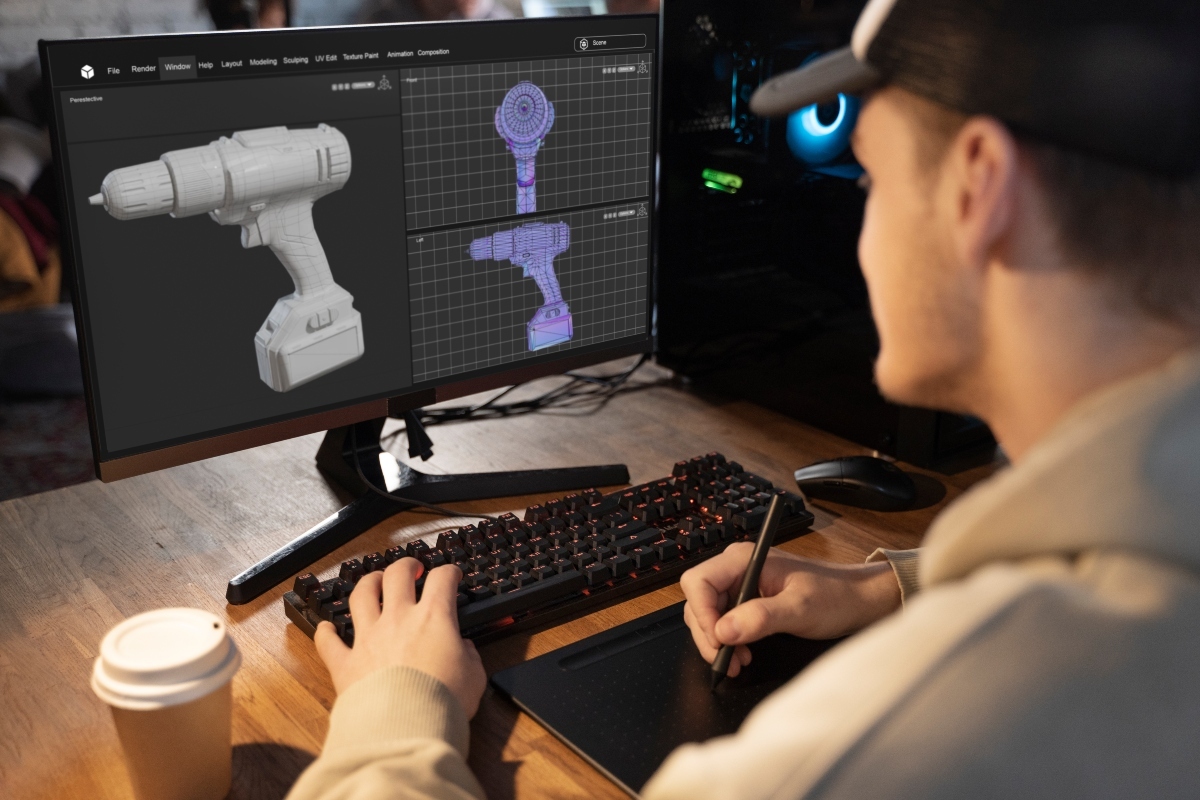
Resolution means something different in each context. In 2D, resolution refers to the number of pixels in an image for clarity. In 3D, resolution describes the density of data points across a model.
A higher number of points yields finer surface detail and more accurate downstream measurements. It’s easy to assume both types measure clarity the same way, but the interpretation varies considerably.
Accuracy also functions differently. A 2D scanner simply needs to reproduce a document's appearance without distortion. A 3D scanner, however, must capture physical dimensions within specific tolerances.
For example, many structured light scanners operate with an accuracy range of about 20 microns to 100 microns, depending on the model and conditions. That level of precision is essential in manufacturing environments where even a slight deviation can impact fit and performance.
File output is another key distinction. A 2D scanner typically produces formats like JPG, PNG, or PDF. A 3D scanner generates mesh or point cloud files such as STL, OBJ, PLY, or proprietary formats used in engineering software. These files contain real geometric information rather than just color or tone.
When a 2D Scanner Is the Better Choice
A 2D scanner is best when you need faithful digital reproductions of flat materials. Think about:
- Office documents that must be archived
- Photographs or artwork that require clean digital copies
- Barcodes or printed labels that must be captured clearly
- Records that need to be digitized for compliance or storage
If the object you are scanning has no depth or you simply need a clean digital copy, a 2D scanner is the straightforward, efficient choice. It avoids unnecessary complexity and delivers consistent results.
When a 3D Scanner Is the Better Choice
A 3D scanner shines whenever dimension and shape matter. Suitable use cases include:
- Reverse engineering parts with missing CAD data
- Quality control checks against original specifications
- Product development where rapid prototyping is part of the workflow
- Heritage preservation and art replication
- Medical and dental modeling
- Industrial metrology and inspection
Because these scanners record real geometry, they support tasks that extend far beyond simple visualization.
Engineers can analyze tolerances, detect warping, compare revisions, and streamline design cycles. Manufacturers lean heavily on 3D scanning to maintain accuracy, prevent defects, and reduce rework.
Comparing 2D and 3D Scanning in Practical Workflows
This is where it gets interesting because many teams do not actually choose between them. Instead, they use both systems in a complementary way.
For example, a company may rely on 2D scans to document prints, labels, or assembly instructions, while using a 3D scanner to evaluate incoming parts. Each scanner supports its own stage of the workflow, contributing to a complete digital picture of both process and product.
When people think about a 2D and 3D scanner comparison in operational settings, the deciding factor usually centers on the kind of data they need. Flat visual records require 2D imaging. Dimensional accuracy requires 3D geometry.
Budget also plays a role, since 3D scanning involves more complex technology and a broader software ecosystem.
At the same time, it is worth noting that modern 3D scanners have become more accessible and easier to use. Calibration routines, guided workflows, and improved software automation have significantly reduced the learning curve.
3D scanners today have numerous applications, and more organizations now treat 3D scanning as a practical daily tool rather than a specialized instrument.
The Real Question: What Problem Are You Solving?
Every scanning decision starts with a purpose. If the work revolves around documentation, indexing, or simple visual capture, then a 2D scanner is the right choice. If the work revolves around accuracy, dimension, measurement, or physical inspection, then a 3D scanner becomes essential.
It’s also helpful to consider scale. Do you scan small components with tight tolerances, or do you work with larger objects where general shape is more important than microns of accuracy?
Different 3D scanners serve different levels of precision, so identifying your tolerance requirements early can help guide your selection.
Budget, workflow compatibility, and software integration also matter. A scanner is only as valuable as the tools and processes it supports.
Teams that rely on CAD modeling and digital manufacturing typically gain enormous value from 3D scanning. Teams that handle paperwork and flat media focus more on simplicity and consistency.
A Quick Reality Check Before You Decide
While the differences between these technologies are clear, many people still try to determine which one is universally better. That question rarely helps. What matters is whether the scanner supports your intended use case.
A 2D system cannot replace a 3D scanner for engineering tasks, and a 3D scanner cannot serve as a simple stand-in for daily document capture. They are tools with different strengths rather than upgrades of each other.
When comparing a 2D scanner and a 3D scanner from a practical standpoint, try to focus on your real environment, the objects you handle, and the expectations placed on the digital output. That clarity often makes the answer obvious.
The Bottom Line Before You Choose
Some decisions in technology become simpler once you understand the purpose driving them.
If your work depends on accurate dimensional data, then a 3D scanner is the required tool. If you need clean digital copies of flat materials, a 2D scanner handles the job with ease. One provides visual reproduction, and the other provides geometric insight.
The Wrap Up: Bringing Your Workflow Into Focus
In the end, choosing between these technologies becomes easier once you evaluate your actual goals, your workflow demands, and the kind of data you expect to use.
As you think through the differences between a 2D and 3D scanner, try to picture how each type of data will fit into your real-world process. That practical perspective helps prevent overbuying and ensures your team gets the most from the investment.
If you need guidance selecting the right scanning system or support integrating it into your workflow, UMAX provides professional 3D scanners and tailored solutions that deliver precision, clarity, and confidence at every stage.
Contact us today to learn how we can help you choose the perfect scanner for your needs.